A code of conduct defines standards for how to engage in a community. It signals an inclusive environment that respects all contributions. It also outlines procedures for addressing problems between members of your project's community. For more information on why a code of conduct defines standards and expectations for how to engage in a community, see the Open Source Guide.
Before adopting a code of conduct for your project:
- Research different codes of conduct designed for open source projects. Choose one that reflects your community's standards.
- Consider carefully whether you are willing and able to enforce it.
You can add a code of conduct to your project by using a template or manually creating a custom code of conduct. Your code of conduct will be available either way. In a public repository's community profile, "Code of conduct" is marked as added if the file is not empty and does not state that the project has no code of conduct. If you use a code of conduct written by another person or organization, be sure to follow any attribution guidelines from the source. For more information about community profiles, see About community profiles for public repositories.
You can create a default code of conduct for your organization or, unless you are signed in with a managed user account, for your personal account. For more information, see Creating a default community health file.
Adding a code of conduct using a template
GitHub provides templates for common codes of conduct to help you quickly add a code of conduct to your project. To use a template, you must have write access to the repository.
-
On GitHub, navigate to the main page of the repository.
-
Above the list of files, select the Add file dropdown menu, then click Create new file.
Alternatively, you can click in the file tree view on the left.

-
In the file name field, type CODE_OF_CONDUCT.md.
-
Select Choose a code of conduct template.

-
On the left side of the page, select a code of conduct to preview and add to your project.
-
On the right side of the page, complete the fields to populate the selected code of conduct with the appropriate information.
-
Click Review and submit.
-
Review the contents of the code of conduct that's in the text area.
-
Click Commit changes...
-
In the "Commit message" field, type a short, meaningful commit message that describes the change you made to the file. You can attribute the commit to more than one author in the commit message. For more information, see Creating a commit with multiple authors or on behalf of an organization.
-
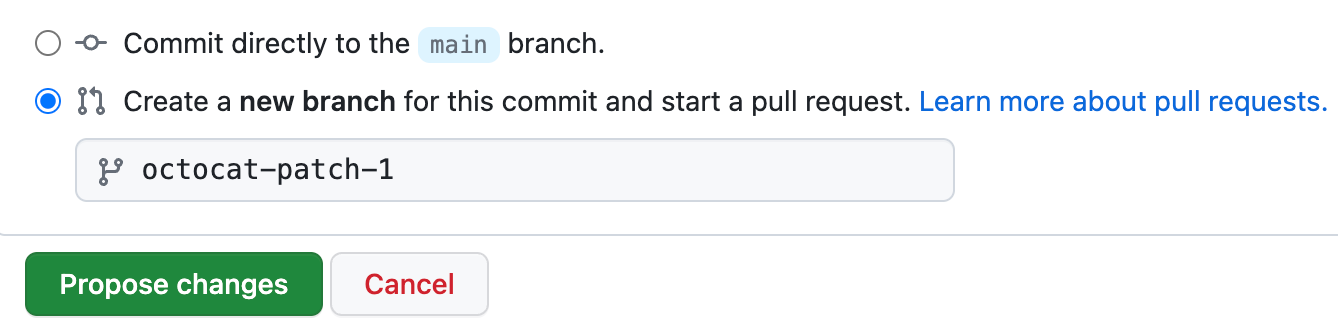
Below the commit message fields, decide whether to add your commit to the current branch or to a new branch. If your current branch is the default branch, you should choose to create a new branch for your commit and then create a pull request. For more information, see Creating a pull request.
-
Click Commit changes or Propose changes.


Adding a code of conduct manually
If the code of conduct you want to use isn't available in the provided templates, you can manually add a code of conduct.
-
On GitHub, navigate to the main page of the repository.
-
Above the list of files, select the Add file dropdown menu, then click Create new file.
Alternatively, you can click in the file tree view on the left.
-
In the file name field, type the path and name for the file. GitHub looks for a code of conduct in the
.githubdirectory, then the root of the repository, then thedocsdirectory, and uses the first file it finds.- To add your code of conduct to the repository's
.githubdirectory, type .github/CODE_OF_CONDUCT.md. - To add your code of conduct to the repository's root directory, type CODE_OF_CONDUCT.md.
- To add your code of conduct to the repository's
docsdirectory, type docs/CODE_OF_CONDUCT.md.
- To add your code of conduct to the repository's
-
In the new file, add your custom code of conduct.
-
Click Commit changes...
-
In the "Commit message" field, type a short, meaningful commit message that describes the change you made to the file. You can attribute the commit to more than one author in the commit message. For more information, see Creating a commit with multiple authors or on behalf of an organization.
-
Below the commit message fields, decide whether to add your commit to the current branch or to a new branch. If your current branch is the default branch, you should choose to create a new branch for your commit and then create a pull request. For more information, see Creating a pull request.
-
Click Commit changes or Propose changes.