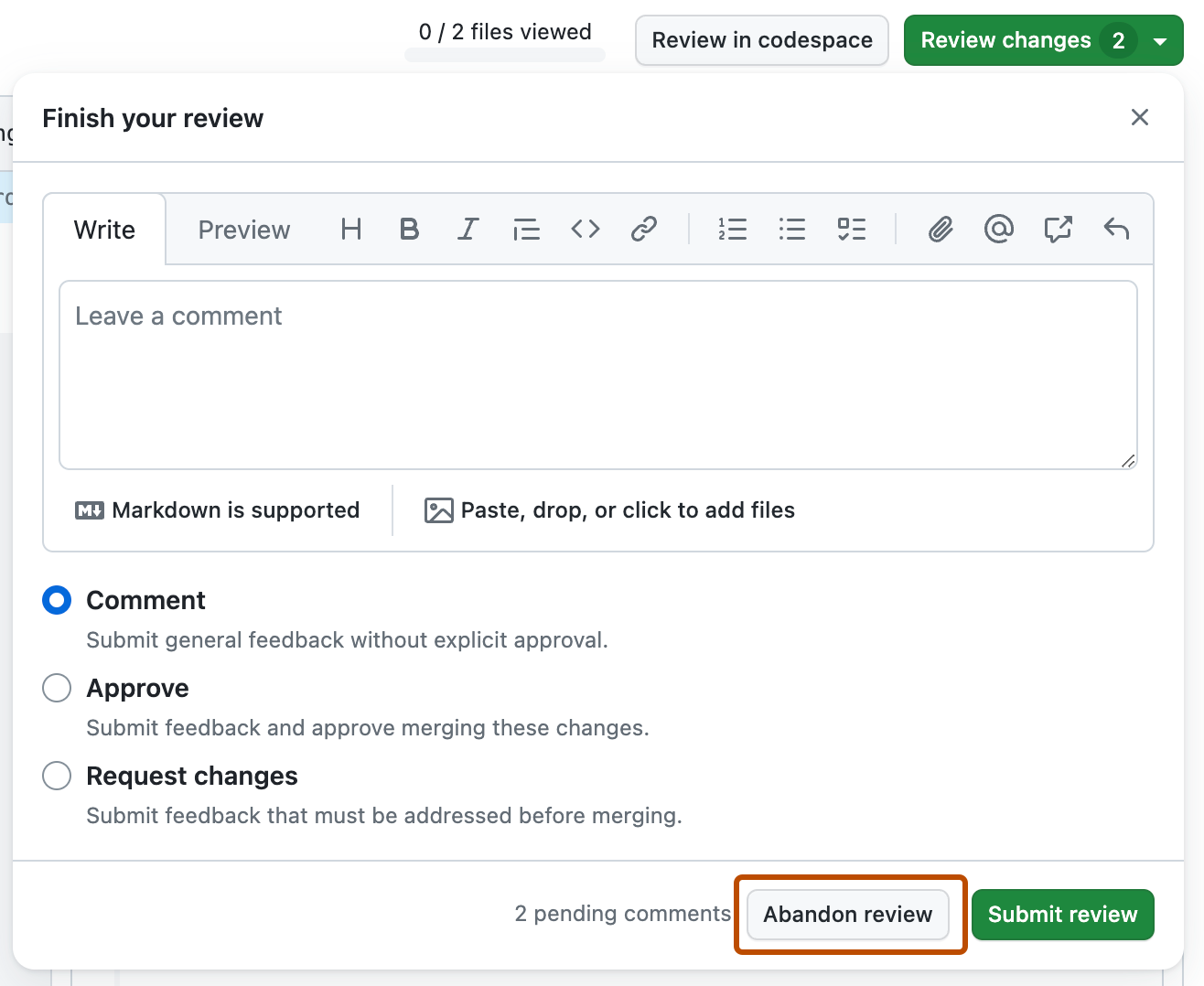
{"meta":{"title":"Reviewing proposed changes in a pull request","intro":"Review commits, file changes, and diffs in pull requests to provide feedback, approve changes, or request updates before merging.","product":"Pull requests","breadcrumbs":[{"href":"/en/pull-requests","title":"Pull requests"},{"href":"/en/pull-requests/how-tos","title":"How-tos"},{"href":"/en/pull-requests/how-tos/review-pull-requests","title":"Review pull requests"},{"href":"/en/pull-requests/how-tos/review-pull-requests/reviewing-proposed-changes-in-a-pull-request","title":"Review proposed changes"}],"documentType":"article"},"body":"# Reviewing proposed changes in a pull request\n\nReview commits, file changes, and diffs in pull requests to provide feedback, approve changes, or request updates before merging.\n\n## About reviewing pull requests\n\nIt's best to review changes in a pull request one file at a time:\n\n* **Examine** each individual file changed in the pull request.\n* **Leave comments** on specific changes.\n* After reviewing a file, mark it as **Viewed** to collapse it and track your progress.\n* The **progress bar** in the pull request header shows how many files you've viewed.\n* When you've finished, you can **approve** the pull request or **request changes** by submitting your review with a summary comment.\n\nIf the pull request was raised by GitHub Copilot, then Copilot will respond to your comments when you submit them. Copilot will push a new commit to the pull request with further changes. See [About GitHub Copilot cloud agent](/en/copilot/concepts/agents/cloud-agent/about-cloud-agent).\n\n<div class=\"ghd-tool webui\">\n\n## Understanding the purpose of the pull request\n\nUnderstanding the motivation behind a pull request helps you keep your review targeted and meaningful. It also helps you provide feedback that aligns with the pull request author’s intent and the project's goals.\n\nYou have several options to better understand the context and rationale for proposed changes.\n\n### Using the pull request sidebar for context\n\nIn the pull request sidebar, you can find valuable context, including:\n\n* Linked **issues** or **discussions**: Review these to understand the problems or goals that the pull request aims to address. You can also gather information about background, design decisions, or current debates.\n* Linked **projects** or **milestones**: Review how this pull request fits within larger projects or upcoming releases.\n\nUse this information to frame your review and check if the goals of the pull request align with the original intent.\n\n### Using Copilot Chat to understand the rationale\n\nYou can ask Copilot Chat for help understanding the pull request’s intent or clarifying any part of the change.\n\n1. At the top right of the pull request page, click the **<svg version=\"1.1\" width=\"16\" height=\"16\" viewBox=\"0 0 16 16\" class=\"octicon octicon-copilot\" aria-label=\"Copilot icon\" role=\"img\"><path d=\"M7.998 15.035c-4.562 0-7.873-2.914-7.998-3.749V9.338c.085-.628.677-1.686 1.588-2.065.013-.07.024-.143.036-.218.029-.183.06-.384.126-.612-.201-.508-.254-1.084-.254-1.656 0-.87.128-1.769.693-2.484.579-.733 1.494-1.124 2.724-1.261 1.206-.134 2.262.034 2.944.765.05.053.096.108.139.165.044-.057.094-.112.143-.165.682-.731 1.738-.899 2.944-.765 1.23.137 2.145.528 2.724 1.261.566.715.693 1.614.693 2.484 0 .572-.053 1.148-.254 1.656.066.228.098.429.126.612.012.076.024.148.037.218.924.385 1.522 1.471 1.591 2.095v1.872c0 .766-3.351 3.795-8.002 3.795Zm0-1.485c2.28 0 4.584-1.11 5.002-1.433V7.862l-.023-.116c-.49.21-1.075.291-1.727.291-1.146 0-2.059-.327-2.71-.991A3.222 3.222 0 0 1 8 6.303a3.24 3.24 0 0 1-.544.743c-.65.664-1.563.991-2.71.991-.652 0-1.236-.081-1.727-.291l-.023.116v4.255c.419.323 2.722 1.433 5.002 1.433ZM6.762 2.83c-.193-.206-.637-.413-1.682-.297-1.019.113-1.479.404-1.713.7-.247.312-.369.789-.369 1.554 0 .793.129 1.171.308 1.371.162.181.519.379 1.442.379.853 0 1.339-.235 1.638-.54.315-.322.527-.827.617-1.553.117-.935-.037-1.395-.241-1.614Zm4.155-.297c-1.044-.116-1.488.091-1.681.297-.204.219-.359.679-.242 1.614.091.726.303 1.231.618 1.553.299.305.784.54 1.638.54.922 0 1.28-.198 1.442-.379.179-.2.308-.578.308-1.371 0-.765-.123-1.242-.37-1.554-.233-.296-.693-.587-1.713-.7Z\"></path><path d=\"M6.25 9.037a.75.75 0 0 1 .75.75v1.501a.75.75 0 0 1-1.5 0V9.787a.75.75 0 0 1 .75-.75Zm4.25.75v1.501a.75.75 0 0 1-1.5 0V9.787a.75.75 0 0 1 1.5 0Z\"></path></svg>** button next to the search bar.\n\n   Copilot Chat is displayed, with the pull request attached as context to the prompt window.\n\n2. In the prompt box, type a question and press <kbd>Enter</kbd>. For example, you could enter:\n\n   * `What problem does this pull request solve?`\n   * `Why were these changes needed?`\n   * `Summarize the goals of this PR based on the linked issue.`\n   * `How does this PR relate to issue ISSUE-URL?`\n\nCopilot Chat can help you clarify the bigger picture before you start line-level review.\n\n## Starting a review\n\n1. Under your repository name, click **<svg version=\"1.1\" width=\"16\" height=\"16\" viewBox=\"0 0 16 16\" class=\"octicon octicon-git-pull-request\" aria-label=\"git-pull-request\" role=\"img\"><path d=\"M1.5 3.25a2.25 2.25 0 1 1 3 2.122v5.256a2.251 2.251 0 1 1-1.5 0V5.372A2.25 2.25 0 0 1 1.5 3.25Zm5.677-.177L9.573.677A.25.25 0 0 1 10 .854V2.5h1A2.5 2.5 0 0 1 13.5 5v5.628a2.251 2.251 0 1 1-1.5 0V5a1 1 0 0 0-1-1h-1v1.646a.25.25 0 0 1-.427.177L7.177 3.427a.25.25 0 0 1 0-.354ZM3.75 2.5a.75.75 0 1 0 0 1.5.75.75 0 0 0 0-1.5Zm0 9.5a.75.75 0 1 0 0 1.5.75.75 0 0 0 0-1.5Zm8.25.75a.75.75 0 1 0 1.5 0 .75.75 0 0 0-1.5 0Z\"></path></svg> Pull requests**.\n\n2. In the list of pull requests, click the pull request you'd like to review.\n\n3. On the pull request, click **<svg version=\"1.1\" width=\"16\" height=\"16\" viewBox=\"0 0 16 16\" class=\"octicon octicon-file-diff\" aria-label=\"file-diff\" role=\"img\"><path d=\"M1 1.75C1 .784 1.784 0 2.75 0h7.586c.464 0 .909.184 1.237.513l2.914 2.914c.329.328.513.773.513 1.237v9.586A1.75 1.75 0 0 1 13.25 16H2.75A1.75 1.75 0 0 1 1 14.25Zm1.75-.25a.25.25 0 0 0-.25.25v12.5c0 .138.112.25.25.25h10.5a.25.25 0 0 0 .25-.25V4.664a.25.25 0 0 0-.073-.177l-2.914-2.914a.25.25 0 0 0-.177-.073ZM8 3.25a.75.75 0 0 1 .75.75v1.5h1.5a.75.75 0 0 1 0 1.5h-1.5v1.5a.75.75 0 0 1-1.5 0V7h-1.5a.75.75 0 0 1 0-1.5h1.5V4A.75.75 0 0 1 8 3.25Zm-3 8a.75.75 0 0 1 .75-.75h4.5a.75.75 0 0 1 0 1.5h-4.5a.75.75 0 0 1-.75-.75Z\"></path></svg> Files changed**.\n\n   ![Screenshot of the tabs for a pull request. The \"Files changed\" tab is outlined in dark orange.](/assets/images/help/pull_requests/pull-request-tabs-changed-files.png)\n   To change the format of the diff view in this tab, click <svg version=\"1.1\" width=\"16\" height=\"16\" viewBox=\"0 0 16 16\" class=\"octicon octicon-gear\" aria-label=\"The Settings gear\" role=\"img\"><path d=\"M8 0a8.2 8.2 0 0 1 .701.031C9.444.095 9.99.645 10.16 1.29l.288 1.107c.018.066.079.158.212.224.231.114.454.243.668.386.123.082.233.09.299.071l1.103-.303c.644-.176 1.392.021 1.82.63.27.385.506.792.704 1.218.315.675.111 1.422-.364 1.891l-.814.806c-.049.048-.098.147-.088.294.016.257.016.515 0 .772-.01.147.038.246.088.294l.814.806c.475.469.679 1.216.364 1.891a7.977 7.977 0 0 1-.704 1.217c-.428.61-1.176.807-1.82.63l-1.102-.302c-.067-.019-.177-.011-.3.071a5.909 5.909 0 0 1-.668.386c-.133.066-.194.158-.211.224l-.29 1.106c-.168.646-.715 1.196-1.458 1.26a8.006 8.006 0 0 1-1.402 0c-.743-.064-1.289-.614-1.458-1.26l-.289-1.106c-.018-.066-.079-.158-.212-.224a5.738 5.738 0 0 1-.668-.386c-.123-.082-.233-.09-.299-.071l-1.103.303c-.644.176-1.392-.021-1.82-.63a8.12 8.12 0 0 1-.704-1.218c-.315-.675-.111-1.422.363-1.891l.815-.806c.05-.048.098-.147.088-.294a6.214 6.214 0 0 1 0-.772c.01-.147-.038-.246-.088-.294l-.815-.806C.635 6.045.431 5.298.746 4.623a7.92 7.92 0 0 1 .704-1.217c.428-.61 1.176-.807 1.82-.63l1.102.302c.067.019.177.011.3-.071.214-.143.437-.272.668-.386.133-.066.194-.158.211-.224l.29-1.106C6.009.645 6.556.095 7.299.03 7.53.01 7.764 0 8 0Zm-.571 1.525c-.036.003-.108.036-.137.146l-.289 1.105c-.147.561-.549.967-.998 1.189-.173.086-.34.183-.5.29-.417.278-.97.423-1.529.27l-1.103-.303c-.109-.03-.175.016-.195.045-.22.312-.412.644-.573.99-.014.031-.021.11.059.19l.815.806c.411.406.562.957.53 1.456a4.709 4.709 0 0 0 0 .582c.032.499-.119 1.05-.53 1.456l-.815.806c-.081.08-.073.159-.059.19.162.346.353.677.573.989.02.03.085.076.195.046l1.102-.303c.56-.153 1.113-.008 1.53.27.161.107.328.204.501.29.447.222.85.629.997 1.189l.289 1.105c.029.109.101.143.137.146a6.6 6.6 0 0 0 1.142 0c.036-.003.108-.036.137-.146l.289-1.105c.147-.561.549-.967.998-1.189.173-.086.34-.183.5-.29.417-.278.97-.423 1.529-.27l1.103.303c.109.029.175-.016.195-.045.22-.313.411-.644.573-.99.014-.031.021-.11-.059-.19l-.815-.806c-.411-.406-.562-.957-.53-1.456a4.709 4.709 0 0 0 0-.582c-.032-.499.119-1.05.53-1.456l.815-.806c.081-.08.073-.159.059-.19a6.464 6.464 0 0 0-.573-.989c-.02-.03-.085-.076-.195-.046l-1.102.303c-.56.153-1.113.008-1.53-.27a4.44 4.44 0 0 0-.501-.29c-.447-.222-.85-.629-.997-1.189l-.289-1.105c-.029-.11-.101-.143-.137-.146a6.6 6.6 0 0 0-1.142 0ZM11 8a3 3 0 1 1-6 0 3 3 0 0 1 6 0ZM9.5 8a1.5 1.5 0 1 0-3.001.001A1.5 1.5 0 0 0 9.5 8Z\"></path></svg> and choose the unified or split view. The choice you make will apply when you view the diff for other pull requests.\n\n   ![Screenshot of the \"Files changed\" tab for a pull request. The \"Diff view\" menu is outlined in dark orange.](/assets/images/help/pull_requests/diff-settings-menu.png)\n\n   You can also hide whitespace differences. The choice you make only applies to this pull request and will be remembered the next time you visit this page.\n\n4. Optionally, filter the files to show only the files you want to review or use the file tree to navigate to a specific file.\n\n5. Hover over the line of code where you'd like to add a comment, and click the blue comment icon.\n\n   ![Screenshot of a diff in a pull request. Next to a line number, a blue plus icon is highlighted with an orange outline.](/assets/images/help/commits/hover-comment-icon.png)\n\n6. Optionally, you can add a comment on multiple lines. To select a range of lines, click the line number of the first line you want to comment on, then either drag down to the final line, or hold down <kbd>Shift</kbd> and click on the last line number. You can then click the blue comment icon on the last line you want to comment on. Alternatively, you can click the blue comment icon next to the first line you want to comment on, then drag down to the last line you want to comment on.\n\n7. In the comment field, type your comment.\n\n8. Optionally, to suggest a specific change to the line or lines, click <svg version=\"1.1\" width=\"16\" height=\"16\" viewBox=\"0 0 16 16\" class=\"octicon octicon-file-diff\" aria-label=\"Suggestion\" role=\"img\"><path d=\"M1 1.75C1 .784 1.784 0 2.75 0h7.586c.464 0 .909.184 1.237.513l2.914 2.914c.329.328.513.773.513 1.237v9.586A1.75 1.75 0 0 1 13.25 16H2.75A1.75 1.75 0 0 1 1 14.25Zm1.75-.25a.25.25 0 0 0-.25.25v12.5c0 .138.112.25.25.25h10.5a.25.25 0 0 0 .25-.25V4.664a.25.25 0 0 0-.073-.177l-2.914-2.914a.25.25 0 0 0-.177-.073ZM8 3.25a.75.75 0 0 1 .75.75v1.5h1.5a.75.75 0 0 1 0 1.5h-1.5v1.5a.75.75 0 0 1-1.5 0V7h-1.5a.75.75 0 0 1 0-1.5h1.5V4A.75.75 0 0 1 8 3.25Zm-3 8a.75.75 0 0 1 .75-.75h4.5a.75.75 0 0 1 0 1.5h-4.5a.75.75 0 0 1-.75-.75Z\"></path></svg>, then edit the text within the suggestion block.\n\n   ![Screenshot of a review comment box. The file diff icon to suggest a specific change is outlined in dark orange.](/assets/images/help/pull_requests/suggestion-block.png)\n\n9. To comment directly on a file, to the right of the file, click <svg version=\"1.1\" width=\"16\" height=\"16\" viewBox=\"0 0 16 16\" class=\"octicon octicon-comment\" aria-label=\"The comment icon\" role=\"img\"><path d=\"M1 2.75C1 1.784 1.784 1 2.75 1h10.5c.966 0 1.75.784 1.75 1.75v7.5A1.75 1.75 0 0 1 13.25 12H9.06l-2.573 2.573A1.458 1.458 0 0 1 4 13.543V12H2.75A1.75 1.75 0 0 1 1 10.25Zm1.75-.25a.25.25 0 0 0-.25.25v7.5c0 .138.112.25.25.25h2a.75.75 0 0 1 .75.75v2.19l2.72-2.72a.749.749 0 0 1 .53-.22h4.5a.25.25 0 0 0 .25-.25v-7.5a.25.25 0 0 0-.25-.25Z\"></path></svg> and type your comment.\n\n   ![Screenshot of an image file on the \"Files changed\" page of a pull request. To the right of the file, a comment icon is outlined in orange.](/assets/images/help/pull_requests/pull-request-comment-on-file.png)\n\n10. When you're done, click **Start a review**. If you have already started a review, you can click **Add review comment**.\n\nBefore you submit your review, your line comments are *pending* and only visible to you. You can edit pending comments anytime before you submit your review. To cancel a pending review, including all of its pending comments, click **Review changes**, then click **Abandon review**.\n\n![Screenshot of the comment field for a review. The \"Abandon review\" button is outlined in dark orange.](/assets/images/help/pull_requests/abandon-review-button.png)\n\n</div>\n\n<div class=\"ghd-tool codespaces\">\n\n## Reviewing a pull request\n\nYou can use [GitHub Codespaces](/en/codespaces/quickstart) to test, run, and review pull requests.\n\n1. Open the pull request in a codespace, as described in [Using GitHub Codespaces for pull requests](/en/codespaces/developing-in-a-codespace/using-github-codespaces-for-pull-requests#opening-a-pull-request-in-codespaces).\n\n2. In the Activity Bar, click the **GitHub Pull Request** view. This view only appears when you open a pull request in a codespace.\n\n   ![Screenshot of the VS Code Activity Bar. The mouse pointer is hovering over an icon displaying the tooltip \"GitHub Pull Request.\"](/assets/images/help/codespaces/github-pr-view.png)\n\n3. To review a specific file, click the **Open File** icon in the Side Bar.\n\n   ![Screenshot of the \"GitHub Pull Request\" side bar. A file name is highlighted with a dark orange outline.](/assets/images/help/codespaces/changes-in-files.png)\n\n4. To add review comments, click the **+** icon next to the line number. Type your review comment and then click **Start Review**.\n\n   ![Screenshot of a comment being added, reading \"Yes, I agree, this is clearer.\" The \"Start Review\" button is shown below the comment.](/assets/images/help/codespaces/start-review.png)\n\n5. Optionally, you can suggest a change that the author of the pull request can click to commit if they agree with your suggestion. To do this, click and hold the **+** sign next to the first line you want to suggest changing, then drag the **+** sign to the last line you want to suggest changing. Then click **Make a Suggestion** in the comment box that's displayed.\n\n   The lines you selected are copied into the comment box, where you can edit them to suggest a change. You can add a comment above the line containing <code>\\`\\`\\`suggestion</code> to explain your suggested change.\n\n   Click **Add Comment** to add your suggestion to the pull request.\n\n   ![Screenshot of a suggested change. The \"Make a Suggestion\" and \"Add Comment\" buttons are shown below the suggested change.](/assets/images/help/codespaces/review-suggestion.png)\n\n6. When you are finished adding review comments, from the Side Bar you can choose to either submit the comments, approve the changes, or request changes.\n\n   ![Screenshot of the side bar showing the dropdown options \"Comment and Submit,\" \"Approve and Submit,\" and \"Request Changes and Submit.\"](/assets/images/help/codespaces/submit-review.png)\n\nFor more information on reviewing pull requests in GitHub Codespaces, see [Using GitHub Codespaces for pull requests](/en/codespaces/developing-in-a-codespace/using-github-codespaces-for-pull-requests).\n\n</div>\n\n<div class=\"ghd-tool webui\">\n\n## Understanding changes in a pull request\n\n> \\[!NOTE] You'll need access to GitHub Copilot. For more information, see [What is GitHub Copilot?](/en/copilot/get-started/what-is-github-copilot#get-access).\n\nGitHub Copilot can help you quickly understand changes in a pull request by providing context and explanations for specific commits. If you’re unsure about the purpose of a particular change or need more details about how it fits into the broader codebase, you can ask Copilot questions about individual commits.\n\n1. Navigate to a commit on GitHub.\n\n2. In the top right of any page on GitHub, click the **<svg version=\"1.1\" width=\"16\" height=\"16\" viewBox=\"0 0 16 16\" class=\"octicon octicon-copilot\" aria-label=\"Copilot\" role=\"img\"><path d=\"M7.998 15.035c-4.562 0-7.873-2.914-7.998-3.749V9.338c.085-.628.677-1.686 1.588-2.065.013-.07.024-.143.036-.218.029-.183.06-.384.126-.612-.201-.508-.254-1.084-.254-1.656 0-.87.128-1.769.693-2.484.579-.733 1.494-1.124 2.724-1.261 1.206-.134 2.262.034 2.944.765.05.053.096.108.139.165.044-.057.094-.112.143-.165.682-.731 1.738-.899 2.944-.765 1.23.137 2.145.528 2.724 1.261.566.715.693 1.614.693 2.484 0 .572-.053 1.148-.254 1.656.066.228.098.429.126.612.012.076.024.148.037.218.924.385 1.522 1.471 1.591 2.095v1.872c0 .766-3.351 3.795-8.002 3.795Zm0-1.485c2.28 0 4.584-1.11 5.002-1.433V7.862l-.023-.116c-.49.21-1.075.291-1.727.291-1.146 0-2.059-.327-2.71-.991A3.222 3.222 0 0 1 8 6.303a3.24 3.24 0 0 1-.544.743c-.65.664-1.563.991-2.71.991-.652 0-1.236-.081-1.727-.291l-.023.116v4.255c.419.323 2.722 1.433 5.002 1.433ZM6.762 2.83c-.193-.206-.637-.413-1.682-.297-1.019.113-1.479.404-1.713.7-.247.312-.369.789-.369 1.554 0 .793.129 1.171.308 1.371.162.181.519.379 1.442.379.853 0 1.339-.235 1.638-.54.315-.322.527-.827.617-1.553.117-.935-.037-1.395-.241-1.614Zm4.155-.297c-1.044-.116-1.488.091-1.681.297-.204.219-.359.679-.242 1.614.091.726.303 1.231.618 1.553.299.305.784.54 1.638.54.922 0 1.28-.198 1.442-.379.179-.2.308-.578.308-1.371 0-.765-.123-1.242-.37-1.554-.233-.296-.693-.587-1.713-.7Z\"></path><path d=\"M6.25 9.037a.75.75 0 0 1 .75.75v1.501a.75.75 0 0 1-1.5 0V9.787a.75.75 0 0 1 .75-.75Zm4.25.75v1.501a.75.75 0 0 1-1.5 0V9.787a.75.75 0 0 1 1.5 0Z\"></path></svg>** icon next to the search bar.\n\n   The GitHub Copilot Chat panel is displayed. To resize the panel, click and drag the top or left edge.\n\n3. If the panel contains a previous conversation you had with Copilot, click the <svg version=\"1.1\" width=\"16\" height=\"16\" viewBox=\"0 0 16 16\" class=\"octicon octicon-plus\" aria-label=\"plus\" role=\"img\"><path d=\"M7.75 2a.75.75 0 0 1 .75.75V7h4.25a.75.75 0 0 1 0 1.5H8.5v4.25a.75.75 0 0 1-1.5 0V8.5H2.75a.75.75 0 0 1 0-1.5H7V2.75A.75.75 0 0 1 7.75 2Z\"></path></svg> plus sign icon at the top right of the Copilot panel to start a new conversation.\n\n4. At the bottom of the Copilot chat panel, in the \"Ask Copilot\" box, type a question and press <kbd>Enter</kbd>. For example, you could enter:\n\n   * `Summarize the changes in this commit`\n\n   * `Who committed these changes?`\n\n   * `When was this commit made?`\n\n   > \\[!TIP]\n   > If you know the SHA for a commit, instead of navigating to the commit, you can ask Copilot about the commit from any page in the repository on GitHub by including the SHA in your message. For example, `What changed in commit a778e0eab?`\n\n5. Optionally, after submitting a question, you can click <svg version=\"1.1\" width=\"16\" height=\"16\" viewBox=\"0 0 16 16\" class=\"octicon octicon-square-fill\" aria-label=\"Stop\" role=\"img\"><path d=\"M5.75 4h4.5c.966 0 1.75.784 1.75 1.75v4.5A1.75 1.75 0 0 1 10.25 12h-4.5A1.75 1.75 0 0 1 4 10.25v-4.5C4 4.784 4.784 4 5.75 4Z\"></path></svg> in the text box to stop the response.\n\n## Reviewing dependency changes\n\nIf the pull request contains changes to dependencies, you can use the dependency review for a manifest or lock file to see what has changed. You can also check whether the changes introduce security vulnerabilities. See [Reviewing dependency changes in a pull request](/en/pull-requests/how-tos/review-pull-requests/reviewing-dependency-changes-in-a-pull-request).\n\n1. On the pull request, click **<svg version=\"1.1\" width=\"16\" height=\"16\" viewBox=\"0 0 16 16\" class=\"octicon octicon-file-diff\" aria-label=\"file-diff\" role=\"img\"><path d=\"M1 1.75C1 .784 1.784 0 2.75 0h7.586c.464 0 .909.184 1.237.513l2.914 2.914c.329.328.513.773.513 1.237v9.586A1.75 1.75 0 0 1 13.25 16H2.75A1.75 1.75 0 0 1 1 14.25Zm1.75-.25a.25.25 0 0 0-.25.25v12.5c0 .138.112.25.25.25h10.5a.25.25 0 0 0 .25-.25V4.664a.25.25 0 0 0-.073-.177l-2.914-2.914a.25.25 0 0 0-.177-.073ZM8 3.25a.75.75 0 0 1 .75.75v1.5h1.5a.75.75 0 0 1 0 1.5h-1.5v1.5a.75.75 0 0 1-1.5 0V7h-1.5a.75.75 0 0 1 0-1.5h1.5V4A.75.75 0 0 1 8 3.25Zm-3 8a.75.75 0 0 1 .75-.75h4.5a.75.75 0 0 1 0 1.5h-4.5a.75.75 0 0 1-.75-.75Z\"></path></svg> Files changed**.\n\n   ![Screenshot of the tabs for a pull request. The \"Files changed\" tab is outlined in dark orange.](/assets/images/help/pull_requests/pull-request-tabs-changed-files.png)\n\n2. On the right of the header for a manifest or lock file, display the dependency review by clicking the **<svg version=\"1.1\" width=\"16\" height=\"16\" viewBox=\"0 0 16 16\" class=\"octicon octicon-file\" aria-label=\"The rich diff icon\" role=\"img\"><path d=\"M2 1.75C2 .784 2.784 0 3.75 0h6.586c.464 0 .909.184 1.237.513l2.914 2.914c.329.328.513.773.513 1.237v9.586A1.75 1.75 0 0 1 13.25 16h-9.5A1.75 1.75 0 0 1 2 14.25Zm1.75-.25a.25.25 0 0 0-.25.25v12.5c0 .138.112.25.25.25h9.5a.25.25 0 0 0 .25-.25V6h-2.75A1.75 1.75 0 0 1 9 4.25V1.5Zm6.75.062V4.25c0 .138.112.25.25.25h2.688l-.011-.013-2.914-2.914-.013-.011Z\"></path></svg>** rich diff button.\n\n   ![Screenshot of the \"Files changed\" tab of a pull request. The button to display the rich diff, labeled with a file icon, is outlined in dark orange.](/assets/images/help/pull_requests/dependency-review-rich-diff.png)\n\n3. You may also want to review the source diff, because there could be changes to the manifest or lock file that don't change dependencies, or there could be dependencies that GitHub can't parse and which, as a result, don't appear in the dependency review.\n\n   To return to the source diff view, click the **<svg version=\"1.1\" width=\"16\" height=\"16\" viewBox=\"0 0 16 16\" class=\"octicon octicon-code\" aria-label=\"Display the source diff\" role=\"img\"><path d=\"m11.28 3.22 4.25 4.25a.75.75 0 0 1 0 1.06l-4.25 4.25a.749.749 0 0 1-1.275-.326.749.749 0 0 1 .215-.734L13.94 8l-3.72-3.72a.749.749 0 0 1 .326-1.275.749.749 0 0 1 .734.215Zm-6.56 0a.751.751 0 0 1 1.042.018.751.751 0 0 1 .018 1.042L2.06 8l3.72 3.72a.749.749 0 0 1-.326 1.275.749.749 0 0 1-.734-.215L.47 8.53a.75.75 0 0 1 0-1.06Z\"></path></svg>** button.\n\n   ![Screenshot of the \"Files changed\" tab of a pull request. The button to display the source diff, shown with a code icon, is outlined in orange.](/assets/images/help/pull_requests/dependency-review-source-diff.png)\n\n## Marking a file as viewed\n\nAfter you finish reviewing a file, you can mark the file as viewed. The file will collapse. If the file changes after you view the file, it will be unmarked as viewed.\n\n1. On the pull request, click **<svg version=\"1.1\" width=\"16\" height=\"16\" viewBox=\"0 0 16 16\" class=\"octicon octicon-file-diff\" aria-label=\"file-diff\" role=\"img\"><path d=\"M1 1.75C1 .784 1.784 0 2.75 0h7.586c.464 0 .909.184 1.237.513l2.914 2.914c.329.328.513.773.513 1.237v9.586A1.75 1.75 0 0 1 13.25 16H2.75A1.75 1.75 0 0 1 1 14.25Zm1.75-.25a.25.25 0 0 0-.25.25v12.5c0 .138.112.25.25.25h10.5a.25.25 0 0 0 .25-.25V4.664a.25.25 0 0 0-.073-.177l-2.914-2.914a.25.25 0 0 0-.177-.073ZM8 3.25a.75.75 0 0 1 .75.75v1.5h1.5a.75.75 0 0 1 0 1.5h-1.5v1.5a.75.75 0 0 1-1.5 0V7h-1.5a.75.75 0 0 1 0-1.5h1.5V4A.75.75 0 0 1 8 3.25Zm-3 8a.75.75 0 0 1 .75-.75h4.5a.75.75 0 0 1 0 1.5h-4.5a.75.75 0 0 1-.75-.75Z\"></path></svg> Files changed**.\n\n   ![Screenshot of the tabs for a pull request. The \"Files changed\" tab is outlined in dark orange.](/assets/images/help/pull_requests/pull-request-tabs-changed-files.png)\n2. On the right of the header of the file you've finished reviewing, select **Viewed**.\n\n   ![Screenshot of the header of a file. The \"Viewed\" option is outlined in dark orange.](/assets/images/help/pull_requests/viewed-checkbox.png)\n\n## Submitting your review\n\nAfter you've finished reviewing all the files you want in the pull request, submit your review.\n\n1. On the pull request, click **<svg version=\"1.1\" width=\"16\" height=\"16\" viewBox=\"0 0 16 16\" class=\"octicon octicon-file-diff\" aria-label=\"file-diff\" role=\"img\"><path d=\"M1 1.75C1 .784 1.784 0 2.75 0h7.586c.464 0 .909.184 1.237.513l2.914 2.914c.329.328.513.773.513 1.237v9.586A1.75 1.75 0 0 1 13.25 16H2.75A1.75 1.75 0 0 1 1 14.25Zm1.75-.25a.25.25 0 0 0-.25.25v12.5c0 .138.112.25.25.25h10.5a.25.25 0 0 0 .25-.25V4.664a.25.25 0 0 0-.073-.177l-2.914-2.914a.25.25 0 0 0-.177-.073ZM8 3.25a.75.75 0 0 1 .75.75v1.5h1.5a.75.75 0 0 1 0 1.5h-1.5v1.5a.75.75 0 0 1-1.5 0V7h-1.5a.75.75 0 0 1 0-1.5h1.5V4A.75.75 0 0 1 8 3.25Zm-3 8a.75.75 0 0 1 .75-.75h4.5a.75.75 0 0 1 0 1.5h-4.5a.75.75 0 0 1-.75-.75Z\"></path></svg> Files changed**.\n\n   ![Screenshot of the tabs for a pull request. The \"Files changed\" tab is outlined in dark orange.](/assets/images/help/pull_requests/pull-request-tabs-changed-files.png)\n2. Above the changed code, click **Review changes**.\n\n   ![Screenshot of the \"Files changed\" tab of a pull request. The \"Review changes\" button is outlined in dark orange.](/assets/images/help/pull_requests/review-changes-button.png)\n3. Type a comment summarizing your feedback on the proposed changes.\n4. Select the type of review you'd like to leave:\n\n   * Select **Comment** to leave general feedback without explicitly approving the changes or requesting additional changes.\n   * Select **Approve** to submit your feedback and approve merging the changes proposed in the pull request.\n   * Select **Request changes** to submit feedback that must be addressed before the pull request can be merged.\n5. Click **Submit review**.\n\n> \\[!TIP]\n>\n> * The **Request changes** option is purely informational and will not prevent merging unless a ruleset or classic branch protection rule is configured with the \"require a pull request\" option. If configured and a collaborator with `admin`, `owner`, or `write` access to the repository submits a review requesting changes, the pull request cannot be merged until the same collaborator submits another review approving the changes in the pull request.\n> * Repository owners and administrators can merge a pull request even if it hasn't received an approving review, or if a reviewer who requested changes has left the organization or is unavailable.\n> * If both required reviews and stale review dismissal are enabled and a code-modifying commit is pushed to the branch of an approved pull request, the approval is dismissed. The pull request must be reviewed and approved again before it can be merged.\n> * When several open pull requests each have a head branch pointing to the same commit, you won’t be able to merge them if one or both have a pending or rejected review.\n> * If your repository requires approving reviews from people with write or admin permissions, the reviewers sidebar groups approvals by permission level. Approvals can appear in two sections:\n>   * The **top section** mostly contains approvals from people with write or admin permissions that count toward merge requirements. Approvals by GitHub Copilot also appear in this section even though GitHub Copilot reviews do not count toward those requirements.\n>   * The **collapsible section (if present)** shows approvals from reviewers whose reviews do not affect whether the pull request can be merged.\n> * Pull request authors cannot approve their own pull requests. You will also not be able to approve a pull request that was raised by GitHub Copilot if it was you who assigned Copilot to the issue to which the pull request relates.\n\n</div>\n\n## Further reading\n\n* [About protected branches](/en/repositories/configuring-branches-and-merges-in-your-repository/managing-protected-branches/about-protected-branches#require-pull-request-reviews-before-merging)\n* [Filtering and searching issues and pull requests](/en/issues/tracking-your-work-with-issues/using-issues/filtering-and-searching-issues-and-pull-requests)"}