{"meta":{"title":"Uninstalling GitHub Desktop","intro":"You can uninstall GitHub Desktop from your computer at any time.","product":"GitHub Desktop","breadcrumbs":[{"href":"/en/desktop","title":"GitHub Desktop"},{"href":"/en/desktop/installing-and-authenticating-to-github-desktop","title":"Install & authenticate"},{"href":"/en/desktop/installing-and-authenticating-to-github-desktop/uninstalling-github-desktop","title":"Uninstalling"}],"documentType":"article"},"body":"# Uninstalling GitHub Desktop\n\nYou can uninstall GitHub Desktop from your computer at any time.\n\n\n\n1. Open the Finder on your Mac and navigate to the \"Applications\" folder.\n\n2. Right-click **GitHub Desktop** and click **Move to Trash**.\n\n3. In the menu bar, select the **Finder** dropdown menu, then click **Empty Trash**.\n\n \n\n4. Read the warning in the pop-up box and click **Empty Trash**.\n\n
\n\n\n\n1. Open the Start menu, then search for and open Control Panel.\n2. Under \"Programs\", click **Uninstall a program**.\n 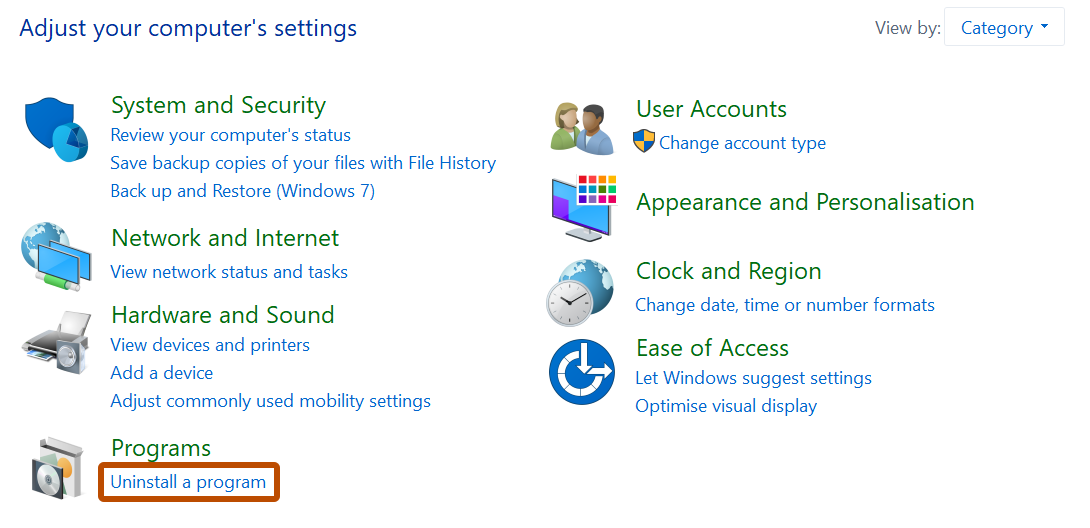\n3. Right-click the entry named **GitHub Desktop**, then click **Uninstall**.\n\n
"}