# Renaming custom fields

Learn about renaming existing custom fields in your project.

1. Navigate to your project.

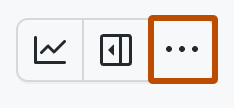
2. In the top-right, click <svg version="1.1" width="16" height="16" viewBox="0 0 16 16" class="octicon octicon-kebab-horizontal" aria-label="More options" role="img"><path d="M8 9a1.5 1.5 0 1 0 0-3 1.5 1.5 0 0 0 0 3ZM1.5 9a1.5 1.5 0 1 0 0-3 1.5 1.5 0 0 0 0 3Zm13 0a1.5 1.5 0 1 0 0-3 1.5 1.5 0 0 0 0 3Z"></path></svg> to open the menu.

   ![Screenshot showing a project's menu bar. The menu icon is highlighted with an orange outline.](/assets/images/help/projects-v2/open-menu.png)

3. In the menu, click **<svg version="1.1" width="16" height="16" viewBox="0 0 16 16" class="octicon octicon-gear" aria-label="gear" role="img"><path d="M8 0a8.2 8.2 0 0 1 .701.031C9.444.095 9.99.645 10.16 1.29l.288 1.107c.018.066.079.158.212.224.231.114.454.243.668.386.123.082.233.09.299.071l1.103-.303c.644-.176 1.392.021 1.82.63.27.385.506.792.704 1.218.315.675.111 1.422-.364 1.891l-.814.806c-.049.048-.098.147-.088.294.016.257.016.515 0 .772-.01.147.038.246.088.294l.814.806c.475.469.679 1.216.364 1.891a7.977 7.977 0 0 1-.704 1.217c-.428.61-1.176.807-1.82.63l-1.102-.302c-.067-.019-.177-.011-.3.071a5.909 5.909 0 0 1-.668.386c-.133.066-.194.158-.211.224l-.29 1.106c-.168.646-.715 1.196-1.458 1.26a8.006 8.006 0 0 1-1.402 0c-.743-.064-1.289-.614-1.458-1.26l-.289-1.106c-.018-.066-.079-.158-.212-.224a5.738 5.738 0 0 1-.668-.386c-.123-.082-.233-.09-.299-.071l-1.103.303c-.644.176-1.392-.021-1.82-.63a8.12 8.12 0 0 1-.704-1.218c-.315-.675-.111-1.422.363-1.891l.815-.806c.05-.048.098-.147.088-.294a6.214 6.214 0 0 1 0-.772c.01-.147-.038-.246-.088-.294l-.815-.806C.635 6.045.431 5.298.746 4.623a7.92 7.92 0 0 1 .704-1.217c.428-.61 1.176-.807 1.82-.63l1.102.302c.067.019.177.011.3-.071.214-.143.437-.272.668-.386.133-.066.194-.158.211-.224l.29-1.106C6.009.645 6.556.095 7.299.03 7.53.01 7.764 0 8 0Zm-.571 1.525c-.036.003-.108.036-.137.146l-.289 1.105c-.147.561-.549.967-.998 1.189-.173.086-.34.183-.5.29-.417.278-.97.423-1.529.27l-1.103-.303c-.109-.03-.175.016-.195.045-.22.312-.412.644-.573.99-.014.031-.021.11.059.19l.815.806c.411.406.562.957.53 1.456a4.709 4.709 0 0 0 0 .582c.032.499-.119 1.05-.53 1.456l-.815.806c-.081.08-.073.159-.059.19.162.346.353.677.573.989.02.03.085.076.195.046l1.102-.303c.56-.153 1.113-.008 1.53.27.161.107.328.204.501.29.447.222.85.629.997 1.189l.289 1.105c.029.109.101.143.137.146a6.6 6.6 0 0 0 1.142 0c.036-.003.108-.036.137-.146l.289-1.105c.147-.561.549-.967.998-1.189.173-.086.34-.183.5-.29.417-.278.97-.423 1.529-.27l1.103.303c.109.029.175-.016.195-.045.22-.313.411-.644.573-.99.014-.031.021-.11-.059-.19l-.815-.806c-.411-.406-.562-.957-.53-1.456a4.709 4.709 0 0 0 0-.582c-.032-.499.119-1.05.53-1.456l.815-.806c.081-.08.073-.159.059-.19a6.464 6.464 0 0 0-.573-.989c-.02-.03-.085-.076-.195-.046l-1.102.303c-.56.153-1.113.008-1.53-.27a4.44 4.44 0 0 0-.501-.29c-.447-.222-.85-.629-.997-1.189l-.289-1.105c-.029-.11-.101-.143-.137-.146a6.6 6.6 0 0 0-1.142 0ZM11 8a3 3 0 1 1-6 0 3 3 0 0 1 6 0ZM9.5 8a1.5 1.5 0 1 0-3.001.001A1.5 1.5 0 0 0 9.5 8Z"></path></svg> Settings** to access the project settings.

4. Click the name of the custom field you want to rename.

5. Under "Field name", type the new name for the field.

6. To save changes, press <kbd>Return</kbd>.